
How to Build Custom Skills for Claude (Complete Walkthrough)
Skills are the most underrated feature in Claude’s ecosystem right now. While everyone’s talking about MCP servers and custom GPTs, skills quietly solve a problem that actually matters: making Claude do the same thing consistently, every time, without you re-explaining your workflow in every conversation.
A skill is just a folder with a markdown file in it. That’s the whole thing. But getting the details right is the difference between a skill that fires reliably and one that sits there doing nothing.
This walkthrough covers the full lifecycle: planning, building the SKILL.md, structuring the folder, writing a description that actually triggers, testing, and iterating based on real usage. We’ve built over a dozen skills at this point, and most of what we learned came from getting it wrong first.
What a Skill Actually Is
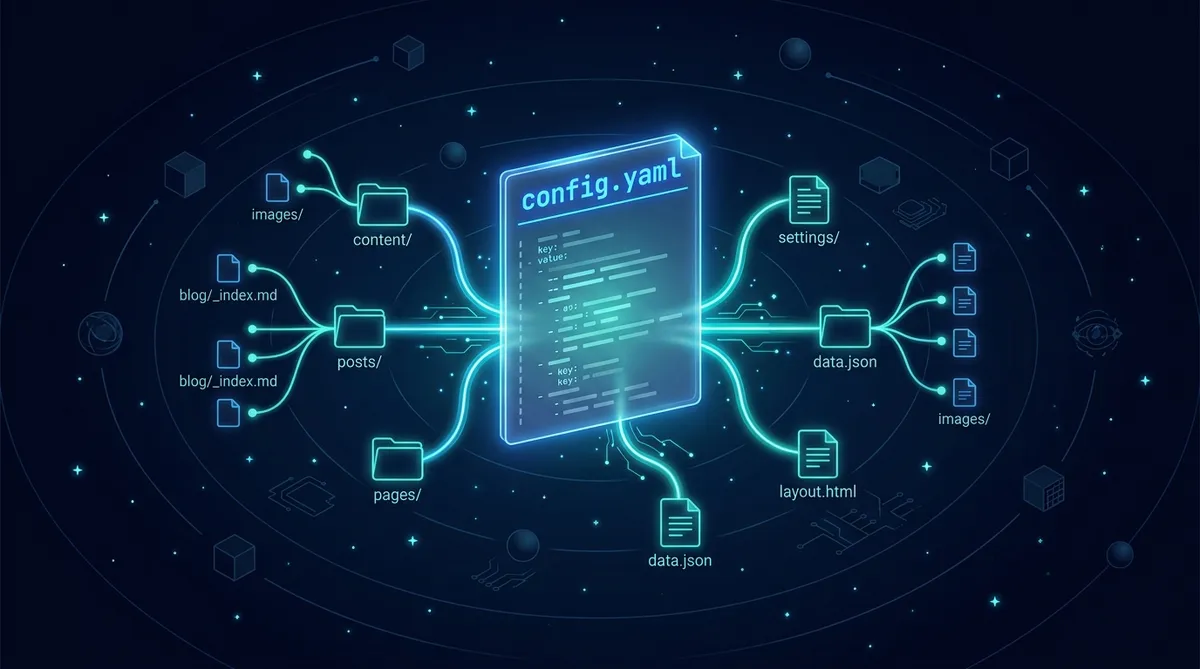
A skill is a folder containing one required file (SKILL.md) and optional supporting directories. That’s it. No API keys, no server, no deployment pipeline.
your-skill-name/
├── SKILL.md              # Required - main instruction file
├── scripts/              # Optional - executable code
├── references/           # Optional - documentation
└── assets/               # Optional - templates, fonts, icons
The key concept is progressive disclosure. Claude loads skills in three levels:
- Frontmatter (always loaded): The YAML block at the top. This is in Claude’s system prompt for every conversation. Keep it small.
- Body (loaded on trigger): The full SKILL.md instructions. Only loaded when Claude thinks the skill is relevant.
- Linked files (loaded on demand): Anything in
references/,scripts/, orassets/. Claude reads these when it needs them.
This means your frontmatter costs tokens in every conversation, but your detailed instructions only load when needed. Design accordingly.
Start With the Use Case, Not the Code
Before you touch a SKILL.md file, answer these questions:
Pre-Build Checklist
Anthropic identifies three main skill categories:
Document and Asset Creation covers skills that produce consistent, high-quality output: reports, presentations, code, designs. The key techniques are embedded style guides, template structures, and quality checklists.
Workflow Automation handles multi-step processes that benefit from consistent methodology. Think step-by-step validation gates, templates for common structures, and iterative refinement loops.
MCP Enhancement adds workflow guidance on top of raw tool access. If you’ve built an MCP server, skills teach Claude how to use your tools effectively instead of leaving users to figure it out.
We started with document creation skills (generating Hugo articles with specific frontmatter, voice profiles, and scoring rubrics) and expanded from there. Start where you have the most repetition.
The SKILL.md Anatomy
Frontmatter: The Make-or-Break Section
The YAML frontmatter is how Claude decides whether to load your skill. The description field is the single most important thing you’ll write.
Description Formula
[What it does] + [When to use it] + [Key capabilities]
Here’s a real example from a content publishing skill:
Good Description
name: content-publisher
description: Publishes Hugo blog articles to destination websites via LaunchControl API. Use when user says "publish", "deploy article", "push to site", or references a specific domain (af99, af1, clife). Handles build, preview, deploy, and post-publish verification.
Compare that to what most people write on their first attempt:
Bad Description
name: content-publisher
description: Helps with content publishing workflows.
The second one will almost never trigger. It’s too vague, has no trigger phrases, and doesn’t tell Claude what it actually does.
Description Rules
The Instruction Body
After frontmatter, write your actual instructions in markdown. Structure matters here.
Recommended SKILL.md Structure
---
name: your-skill
description: [What + When + Capabilities]
---

# Your Skill Name

## Instructions

### Step 1: [First Major Step]
Clear explanation of what happens.

### Step 2: [Next Step]
Include specific commands, file paths, or prompts.

## Common Issues

### Error: [Common error message]
Cause: [Why it happens]
Solution: [How to fix]

## Examples

### Example 1: [Typical scenario]
User says: "..."
Actions: 1. ... 2. ... 3. ...
Result: [What success looks like]
Two principles from building skills in practice:
Be specific and actionable. Instead of writing “validate the data before proceeding,” write the actual command: Run python scripts/validate.py --input {filename} to check data format. Claude follows concrete instructions far better than abstract ones.
Reference bundled resources clearly. If your skill has supporting files, point to them explicitly: Before writing queries, consult references/api-patterns.md for rate limiting guidance and error codes.
The Pro Move: Iterate First, Extract Second
Don’t start by writing a SKILL.md. Start by doing the task manually in a Claude conversation. Get it working. Refine your prompts. Figure out the edge cases. Once you have a workflow that consistently produces good results, extract it into a skill.
The Extraction Pattern
We built our content scoring skill this way. The first five articles were scored manually with a rubric pasted into each conversation. By article six, the rubric, the weight tables, the output format, and the edge case handling were stable enough to extract into a skill. The skill now produces consistent scores without us re-explaining the system every time.
Testing Your Skill
Effective testing covers three areas:
Triggering tests. Does the skill fire when it should? Does it stay quiet when it shouldn’t? Run 10-20 test queries and track how many times it triggers correctly vs. incorrectly. If it’s under-triggering, add more detail and trigger phrases to the description. If it’s over-triggering, add negative triggers and be more specific.
Functional tests. Does the skill produce correct output? Run the same request 3-5 times and compare results for structural consistency. Check that API calls succeed, error handling works, and edge cases are covered.
Performance comparison. Run the same task with and without the skill enabled. Count tool calls, tokens consumed, and user corrections needed. A good skill should reduce all three.
Quick Trigger Test Suite
Should trigger:
- "Help me create a new [your use case]"
- "I need to [action your skill handles]"
- "[Paraphrased version of the above]"

Should NOT trigger:
- "What's the weather?"
- "[Unrelated task in a similar domain]"
- "[Generic request that sounds close but isn't]"
Distribution
You’ve got a few options for getting your skill to other people:
Personal use: Drop the folder into Claude’s skills directory or upload via Settings > Capabilities > Skills. Done.
Team use: Admins can deploy skills workspace-wide through the Claude Console. Everyone on the team gets the skill automatically, with centralized updates.
Community sharing: Host on GitHub with a clear README (separate from SKILL.md, which is for Claude, not humans), installation instructions, and example usage with screenshots. If you’ve built an MCP server, link to the skill from your MCP docs and explain how both work together.
For API usage, skills can be added to Messages API requests via the container.skills parameter, managed through the /v1/skills endpoint, and version-controlled through the Console.
Common Mistakes We’ve Made
Overloading the frontmatter. We initially crammed 500+ words of instructions into our description field. Claude loaded all of it into every conversation, burning tokens even when the skill wasn’t relevant. Fix: your description should be a concise trigger (under 200 words), not a manual. Keep detailed instructions in the body.
Forgetting error handling. Our first publishing skill had zero error handling. When the deploy API returned a 500, Claude froze and asked us what to do. Fix: include a “Common Issues” section with the 3-5 most common errors and their solutions. Claude handles errors much better when you’ve told it what to expect.
Writing for yourself instead of Claude. Skills aren’t documentation for humans. They’re instructions for an AI. Be explicit about what to do, in what order, with what tools. Skip the background context and explanations.
Not iterating. Your first version will under-trigger or over-trigger. Plan for 2-3 revision cycles. Watch for the signals: users manually enabling the skill (under-triggering), or the skill loading on irrelevant queries (over-triggering). Add trigger phrases for under-triggering; add negative triggers and specificity for over-triggering.
The skill-creator skill (yes, there’s a skill for building skills) can help you generate properly formatted SKILL.md files, suggest trigger phrases, and flag common issues. It’s available in the plugin directory and as a Claude Code download.
Start Building
Pick one workflow you repeat in every Claude conversation. Do it manually three more times, noting what you explain each time. Then extract those instructions into a SKILL.md.
Share this article
If this helped, pass it along.