
Commands vs Agents vs Skills in Claude Code: When to Use Each
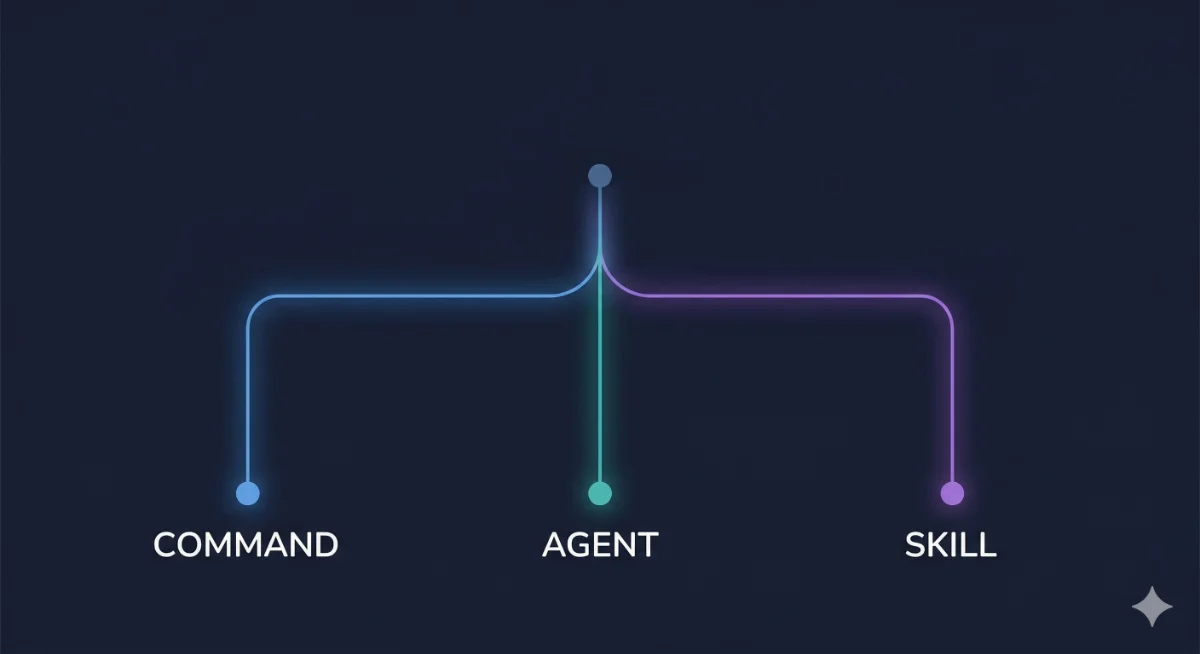
Claude Code gives you three ways to extend its capabilities: Commands, Sub-Agents, and Skills. Most people pick one pattern and use it for everything, which works until it doesn’t.
Each pattern exists for a reason. They solve different problems, run in different contexts, and compose differently. Here’s how to choose the right one for the job.
Commands: Prompt Templates in Your Context
What they are: Markdown files at .claude/commands/ that inject knowledge or instructions into the current CC session when invoked with /.
How they work: When you run a command, its content gets injected into the current conversation context. The command runs in the same session, with access to all the same files and context CC already has.
Use when:
- You repeat the same prompt pattern regularly (code review checklist, PR template, deployment steps)
- You want to inject project-specific knowledge into the session
- The task benefits from the current conversation context
- You need user interaction during execution
Real example: We have a /review command that injects our code review checklist and asks CC to evaluate the current diff against it. CC already has the file context from the session and just needs the evaluation criteria:
# .claude/commands/review.md
Review the current changes against these criteria:
1. No hardcoded secrets or credentials
2. Error handling on all async operations
3. Tests cover the happy path and at least one edge case
4. No TODO comments without a linked issue
Flag anything that fails. Be specific about file and line.
We also have a /compact-notes command that tells CC to summarize the current session’s decisions and save them to a handoff file before compacting context. Without the command, we’d type the same instructions every time context hits 50%.
Limitations: Commands share the session’s context window. A command that injects 2,000 words of instructions eats into your working context. Keep them focused. If you notice your commands getting long, the instructions probably belong in a skill with reference files instead.
Sub-Agents: Autonomous Workers in Isolation
What they are: Markdown files at .claude/agents/ that define autonomous actors with their own fresh context, custom tools, and permissions.
How they work: When CC spawns a sub-agent, it gets a clean context window. It doesn’t inherit the parent session’s conversation history. It has its own tool configuration, file access rules, and behavioral instructions. It runs, does its work, and returns a result to the parent.
Use when:
- The task needs isolation (fresh context, no pollution from current work)
- You want to restrict what the agent can access (specific directories, no git push, read-only)
- The work is self-contained and can run without back-and-forth
- You need parallel execution (multiple agents on different tasks simultaneously)
Real example: Our security-audit agent gets read-only access to the codebase and checks for common vulnerabilities. It doesn’t need conversation context. It doesn’t need write access. It runs independently and reports findings:
# .claude/agents/security-audit.md
---
tools: Read, Glob, Grep
permissions:
  read: ["src/**", "config/**"]
  write: []
---
Audit the codebase for security issues:
- Hardcoded credentials or API keys
- SQL injection vectors
- Unvalidated user input
- Insecure dependencies
Report findings with file paths and severity levels.
Compare this to running the same checks in your main session. The audit would consume context, potentially confuse CC about what you were working on before, and you couldn’t restrict its tool access. The agent pattern keeps the main session clean.
We also use agents for code review where the reviewer explicitly doesn’t see what the implementer was thinking. That fresh-eyes isolation is the whole point.
Limitations: Sub-agents can’t ask you questions mid-execution (no interactive input). They also can’t see what the parent session was working on unless you explicitly pass that information in the spawn prompt. Plan accordingly: if the task needs clarification mid-run, it’s a better fit for a command.
Skills: Reusable Capabilities with Auto-Discovery
What they are: Directories at .claude/skills/ containing a SKILL.md file plus optional reference materials. Skills are knowledge packages that CC discovers and activates automatically when relevant.
How they work: CC reads the skill’s description and triggers on matching tasks. When activated, the SKILL.md instructions guide CC’s behavior for that capability. Skills can include reference files, templates, and examples alongside the instructions.
Use when:
- You want a reusable capability that activates across sessions
- The capability needs reference materials (style guides, API docs, templates)
- Auto-discovery matters (you want CC to use it without being told)
- You’re building something others could install and use
Real example: We have a content-writer skill that includes brand voice guidelines, output templates, and a validation checklist. When CC encounters a “write an article” task, the skill activates automatically and applies all the writing conventions without us specifying them:
.claude/skills/content-writer/
├── SKILL.md          # Instructions + output contract
└── references/
    ├── voice-guide.md    # Brand voice rules
    ├── template.md       # Article template
    └── checklist.md      # Quality checklist
Without the skill, every “write an article” prompt would need to include voice rules, formatting requirements, and the checklist. That’s 500+ words of instructions every time. With the skill, CC loads it automatically when the task matches.
The key difference from commands: skills auto-activate based on task matching, while commands require explicit /invoke. Skills also support reference files in subdirectories, so you can bundle detailed documentation without bloating the main instructions.
Limitations: Skills are knowledge injection, not execution isolation. They run in the current context. If you need restricted permissions or parallel execution, you need an agent.
The Decision Tree
When you have a new capability to add, run through this:
Is it a repeated prompt pattern? Use a Command. Quick to create, runs in context, good for workflows you trigger manually.
Does it need isolation, restricted permissions, or parallel execution? Use a Sub-Agent. The overhead of a fresh context is worth it when you need boundaries.
Is it a reusable capability with reference materials that should auto-activate? Use a Skill. The discovery mechanism and progressive disclosure make it the best choice for capabilities you want available everywhere.
Is it a one-off task? Skip all three. Just tell CC what to do. Not everything needs a pattern.
Pro Tip
The Orchestration Pattern
For complex workflows, combine all three:
- Command acts as the entry point. User runs
/deployto kick off the workflow. - Sub-Agent handles the isolated execution. The deploy agent runs tests, builds, and pushes without polluting the main session’s context.
- Skill provides the capability layer. The agent uses a deployment skill that knows your CI/CD conventions, server configs, and rollback procedures.
Each layer does what it’s best at. The command is the trigger. The agent is the worker. The skill is the knowledge.
A concrete example from our setup: we have a /publish workflow where the command gathers the article path from the user, spawns a publish agent that validates content, builds the preview, and deploys via SSH. The agent uses a deployment skill that knows our server configs, deploy key locations, and rollback procedures. One /publish command, and the whole chain runs.
When Vanilla CC Beats All Three
For smaller tasks, one-off work, and anything you won’t repeat, just talk to CC directly. The overhead of creating a command/agent/skill for a task you’ll do once is negative productivity.
The threshold is roughly: if you’ve done the same task three times and plan to do it again, create a pattern. Below that, raw CC is faster. We call this the “rule of three”: first time you do it manually, second time you notice the pattern, third time you build the automation.
From Our Setup
We run this exact stack in production. Our desktop tool (Cowork) uses a role system that functions like skills: instruction files loaded on demand for content writing, image prompting, editing, and spec writing. CC on our server uses commands for common git workflows and agents for security audits and code review. Our task management system (Mission Control) dispatches agents via Codex CLI for parallel task execution across the codebase.
The pattern scales naturally. One person with one project starts with commands. As the project grows, you add agents for isolated tasks. When you have shared conventions across projects, you build skills. You don’t need all three on day one; you grow into them as complexity demands it.
Try the Decision Tree
Next time you catch yourself typing the same instructions into Claude Code for the third time, stop. Pick the right pattern from the tree above, spend five minutes building it, and never type those instructions again.
Share this article
If this helped, pass it along.