
How to Build an Autonomous AI Agent Team That Actually Runs
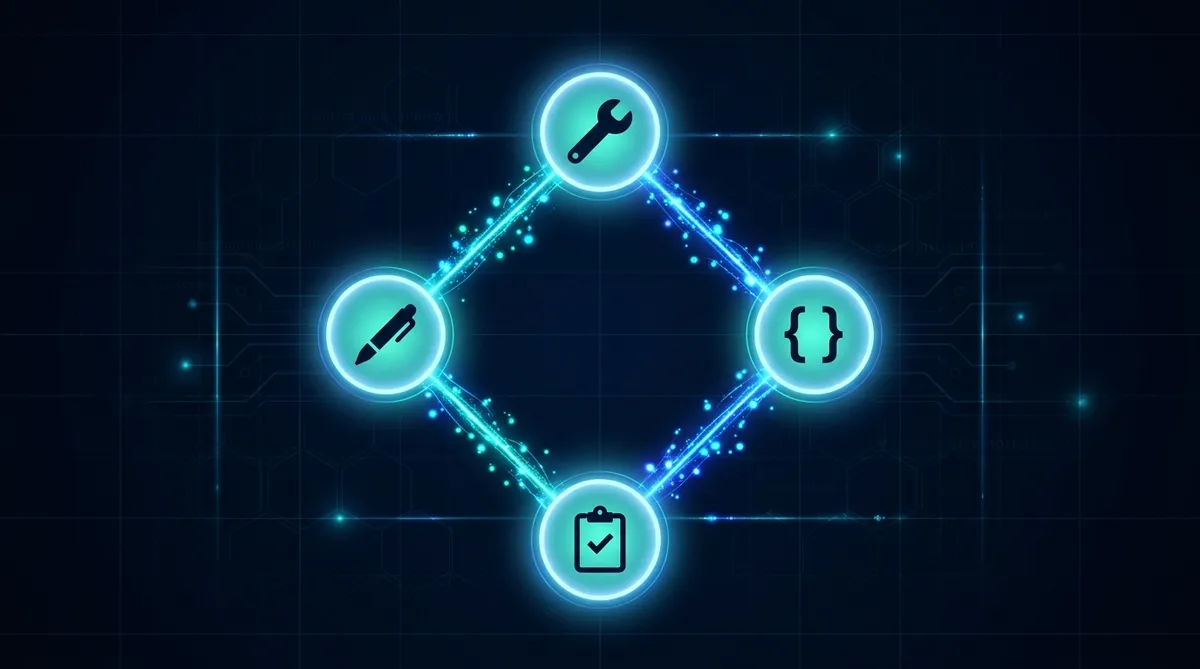
One AI agent can handle a task. A team of AI agents can run your operations while you sleep. But getting from one to the other is where most people stall, usually because they try to launch six agents on day one and everything falls apart by day three.
We’ve been running a multi-agent setup for weeks. Four agents across two machines, handling content, code, server ops, and project management. Here’s what actually works, what breaks, and how to build it without the chaos.
Why a Team Beats a Single Agent
A single agent hits three walls fast.
Context overflow. One agent handling code, content, ops, and PM work needs all that context loaded at once. At some point the context window fills up and the agent starts forgetting things you told it an hour ago.
Role confusion. An agent that writes articles and also deploys code will occasionally mix those modes. You’ll get a deploy command in the middle of a blog post, or prose in your commit message.
No parallelism. While your agent writes an article, nothing else happens. A team lets you run the content pipeline while code gets reviewed and servers get monitored, all at the same time.
The fix is specialization. Each agent gets a clear role, its own context, and a defined way to communicate with the others.
The Identity File: Give Each Agent a Soul
Every agent needs an identity file. Call it CLAUDE.md, AGENTS.md, SOUL.md, whatever fits your setup. The point is the same: a persistent file that tells the agent who it is, what it does, and how it relates to the others.
Minimal Agent Identity (40-60 lines)
# Agent: Bubbles
## Role: Full-Stack Operations
## Scope: server1 (Ubuntu homelab)

## What I Do
- Server maintenance and monitoring
- Code implementation from specs
- Database operations
- Deployment and CI/CD

## What I Don't Do
- Content writing (that's Cowork)
- Creative direction (that's Dennis)
- Task prioritization (that's Cowork as PM)

## How I Receive Work
- Task cards in Mission Control
- Specs in cc-workspace/
- Direct dispatch from OpenClaw

## How I Communicate
- File-based: write to comms/outbox/, read from comms/inbox/
- Task updates in Mission Control
Keep it under 60 lines. The identity file isn’t a manual; it’s a role card. The agent should know its lane, its boundaries, and its communication protocol after reading it.
File-Based Coordination: The Simplest Thing That Works
Forget complex orchestration frameworks. Start with files.
The pattern: one writer, many readers, filesystem as message queue. Each agent writes to its own outbox. Other agents read from it. A shared directory handles the handoff.
comms/
  outbox/    # Agent writes here
  inbox/     # Agent reads here
  archive/   # Processed messages
Messages are just markdown files with a timestamp and a clear ask. No API, no database, no message broker. The filesystem handles concurrency well enough for agent-scale traffic, and every message is readable by humans when something goes wrong.
Why Files Beat APIs for Agent Comms
For more sophisticated setups, look at Agent Communication Protocol (ACP), which lets one agent spawn, steer, and resume another agent’s session programmatically. But start with files. You can always upgrade the transport layer later without changing the coordination patterns.
Memory: Write It Down, Mental Notes Don’t Survive Restarts
Agents forget everything between sessions. Your memory system is what makes them useful across days and weeks instead of just within a single conversation.
Two-layer approach:
Daily logs (raw). Each agent writes what it did at the end of every session. Unstructured, complete, timestamped. These are the raw receipts.
Curated memory (MEMORY.md or equivalent). Periodically, the raw logs get distilled into a structured memory file. Key decisions, current state, what changed, what’s blocked. This is what the agent reads at the start of the next session.
The daily logs are Tier 3 reference (you read them when investigating). The curated memory is Tier 1 or Tier 2 (loaded every session or on demand). Don’t skip the curation step. Raw logs grow fast and become useless without a summary layer.
The Memory Trap
Scheduling and Self-Healing
Agents that only run when you manually trigger them aren’t really autonomous. Cron jobs (or scheduled tasks on Windows) turn agents into background workers.
Our setup runs monitoring every 5 minutes, backups on a schedule, and health checks that auto-restart services when they go down. The pattern:
- Cron triggers the agent at the scheduled time
- Agent reads its identity file and current memory
- Agent performs its task (monitoring check, pipeline run, etc.)
- Agent writes results to its log and updates memory if needed
- If something’s wrong, the agent either fixes it (within its scope) or writes an alert for a human
The self-healing part: if a service crashes, the monitoring agent detects it and restarts it before you even notice. Build this into the agent’s scope from day one. “If PHP server is down, restart it” is a three-line instruction that saves you from getting paged at 2 AM.
Phased Rollout: One Agent Per Week
This is the part everyone skips, and it’s the part that matters most.
Week 1: One agent, one role. Get it running reliably. Tune its identity file, fix its memory system, verify it handles edge cases.
Week 2: Add a second agent. Now you’re testing communication between two agents. Fix the coordination patterns before adding complexity.
Week 3-4: Add agents as needed. Each new agent gets the same treatment: identity file, memory system, communication protocol, tested in isolation, then integrated.
If you launch four agents simultaneously, you can’t tell which one caused the bug. Serial rollout means every failure is attributable to the newest addition.
Real Costs
AI agents use tokens, and tokens cost money. Here’s what to expect:
For a team of 3-4 agents running daily tasks, scheduled checks, and occasional longer jobs, budget $100-400/month depending on model selection and task frequency. A reference point: Shubham Saboo’s 6-agent team runs about $400/month. Our 4-agent setup (lighter workloads, smarter model routing) runs closer to $150.
Where to optimize:
- Use cheaper models for routine tasks. Monitoring checks and log parsing don’t need the flagship model.
- Cache context aggressively. If an agent reads the same files every session, structure your prompts to minimize re-reading.
- Batch work. Five small tasks in one session cost less than five separate sessions because of context loading overhead.
Security: Scope Everything
Each agent should have its own credentials scoped to its role. The content agent doesn’t need SSH access to the server. The server agent doesn’t need your publishing API keys.
- Each agent gets its own API keys (not shared personal keys)
- File system access is limited to the agent’s working directory
- Agents cannot access personal accounts, browsers, or credentials
- Destructive operations require human approval
- Agent identity files are human-readable so you can audit permissions
The principle: an agent that goes rogue can only damage what it has access to. Minimize the blast radius by default.
Our Setup as a Reference
We run four agents with distinct roles:
Cowork (PC1): Project management, content writing, pipeline operations. Runs in a sandboxed VM with file access to the workspace. Communicates via file-based comms and browser automation.
Bubbles (server1): Full-stack ops. Code implementation, server maintenance, deployments. Dispatched through Mission Control and OpenClaw.
CC (Claude Code, both machines): Pure coding. Receives specs, writes code, runs tests. No opinion on what to build, just how.
Scheduled agents (server1): Monitoring, backups, health checks. Run on cron, write alerts when something needs attention.
The coordination layer is simple: Cowork writes specs and task cards. Bubbles and CC pick them up. Results flow back through comms and task updates. Dennis reviews and approves. No fancy orchestration framework. Just files, tasks, and clear boundaries.
Start Here
Pick your first agent. Define its role in 40-60 lines. Give it a memory file. Run it for a week. Fix what breaks. Then add the second one.
The goal isn’t a sophisticated multi-agent architecture on day one. The goal is one agent that reliably does one job, and then scaling from there.
Go Deeper
See how we structure agent context files for maximum effectiveness.
Share this article
If this helped, pass it along.